Tonic FX
iOS effects rack (multi-effects, AU/AUv3 + standalone) — iPhone, iPad & Mac
Tonic FX is an effects rack for iOS (iPhone and iPad) and Mac: Tonic's effects rack in its own focused, cheaper app — as an Audio Unit (AU and AUv3) effect in GarageBand, Logic, AUM, Cubasis, Drambo and any host, or standalone, plugged straight into your microphone or line input.Read moreShow less
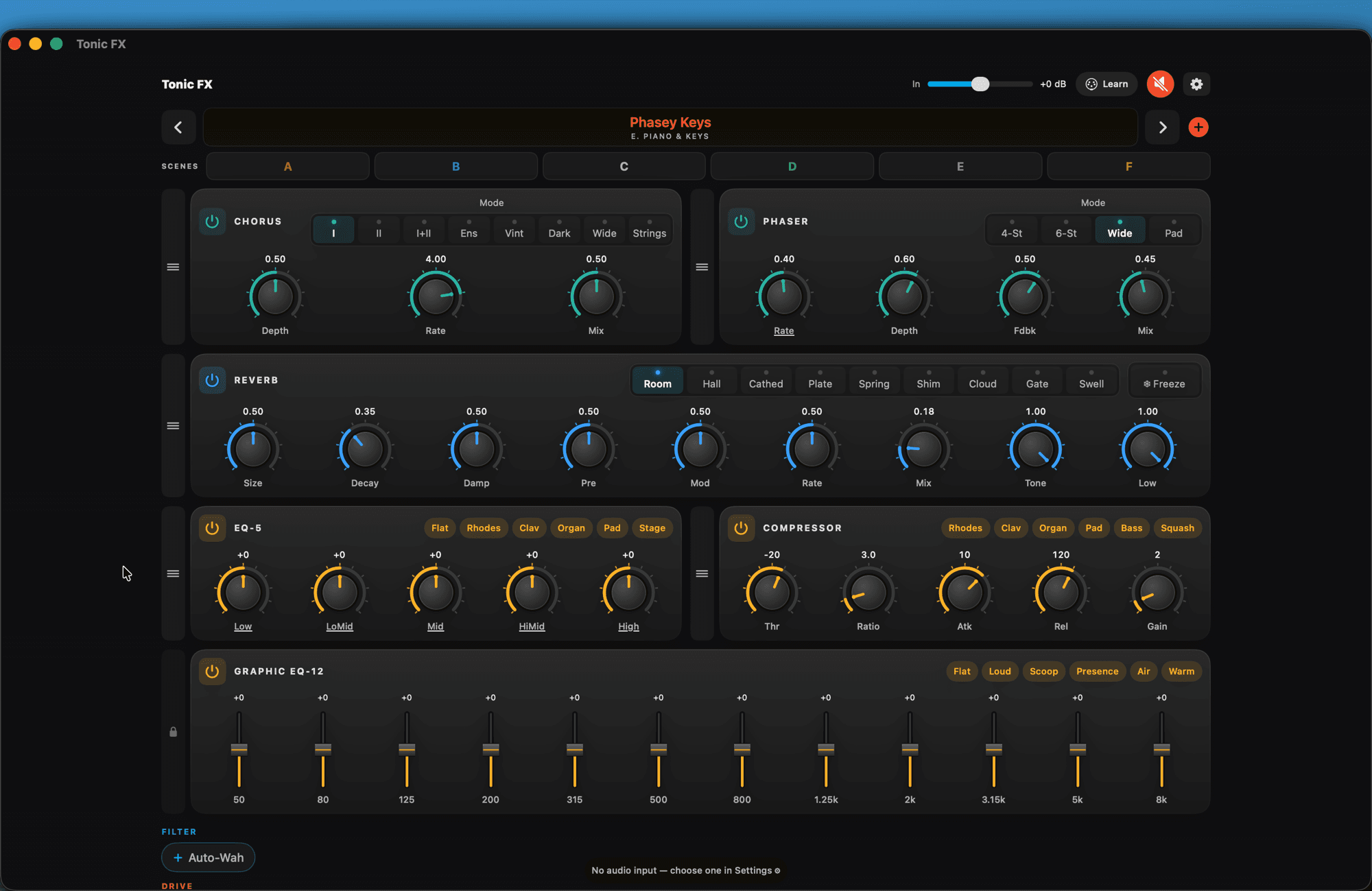
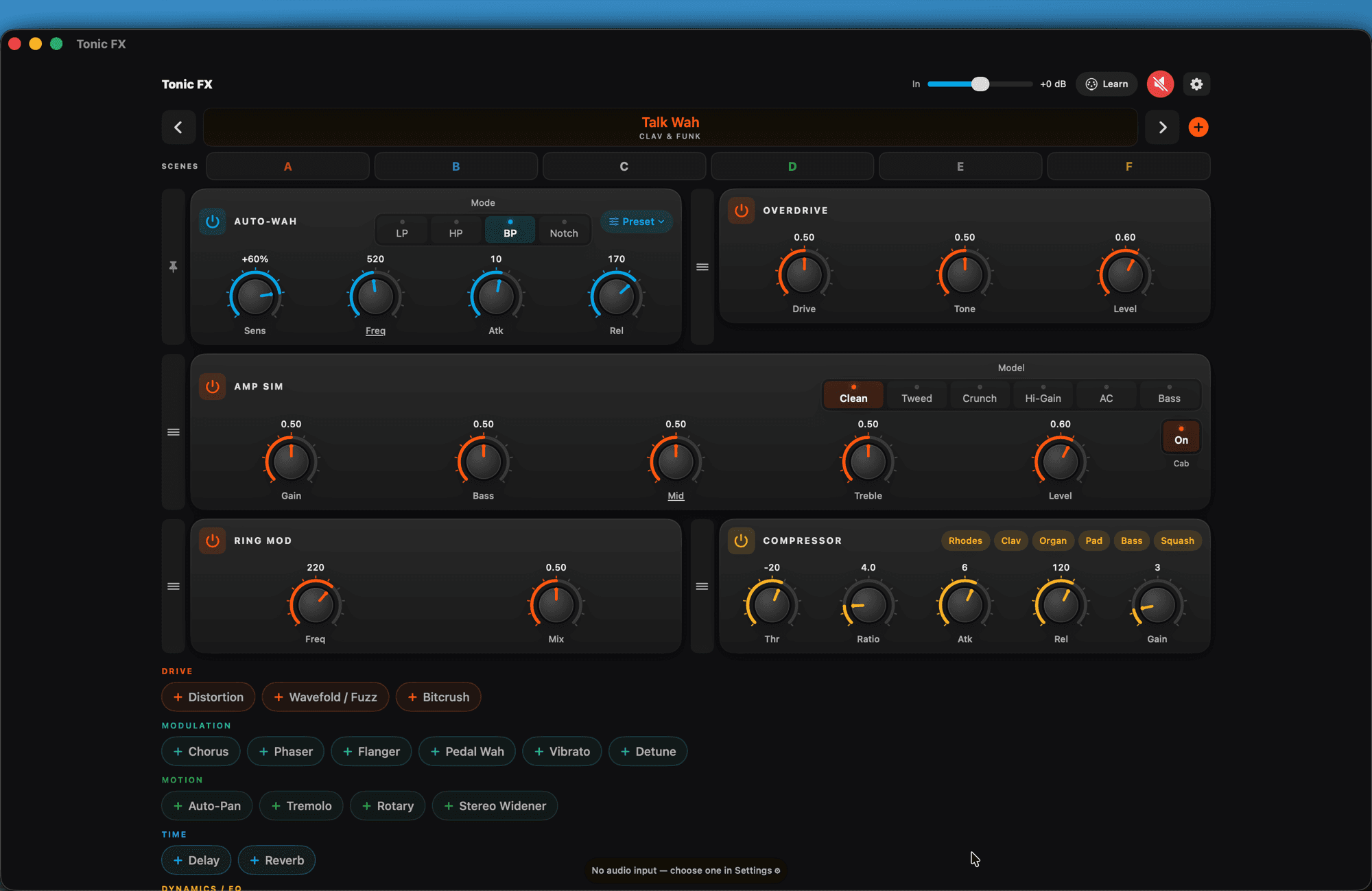
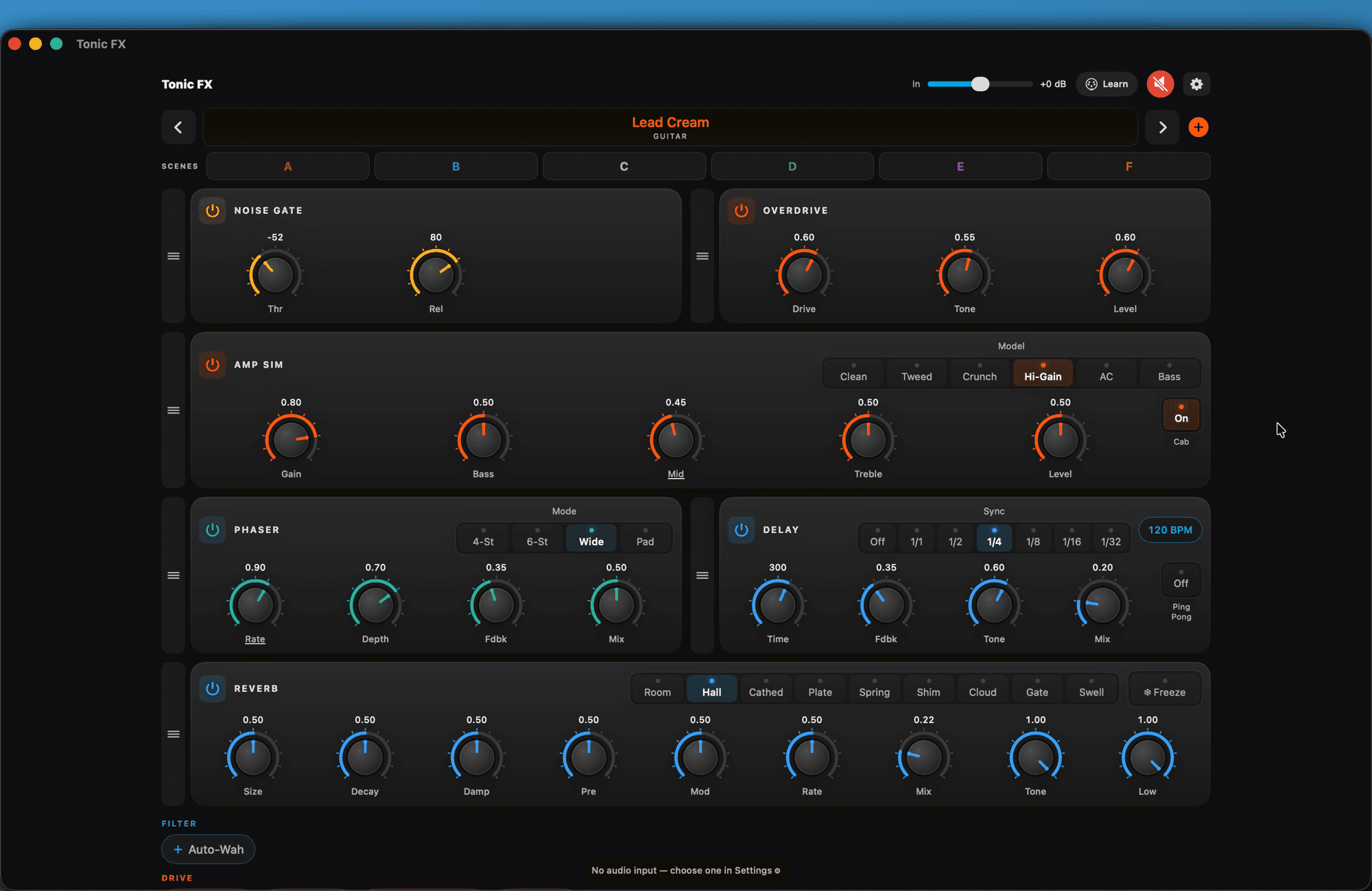
34 effects, each with its own on/off, and the chain order is yours: drag the cards and the sound moves with them. The headline is the two-rotor Rotary cabinet, with real fast/slow inertia. Alongside it: drive and character (overdrive, distortion, amp sim, wavefolder, bitcrush, lo-fi/vinyl, ring mod), modulation (8-mode chorus, phaser, flanger, vibrato, detune, wah, auto-wah, throb and freq shift), time and space (ping-pong delay with tape, a nine-space reverb with Freeze, trance gate, reverse and call & response) and dynamics (compressor, limiter, gate, de-esser, 5-band and 12-band graphic EQ).
For singers: Voice gives you a whole vocal channel in one knob — low cut, gate, de-esser, compressor and sheen —, Doubler simulates two or four more voices singing along, and the delay and reverb now duck on their own while you sing and come back in the gaps between phrases.
Made to play: tempo sync, full MIDI Learn, a Macro/XY pad, scenes A–F with morphing and a preset library.
Screens
See it in action
Features
A rack you build — and reorder
34 effects with individual on/off, in cards grouped by category: add one with a tap and drag to change the order — the order is part of the sound.
The Rotary — the headline
A two-rotor speaker cabinet spinning at different speeds, with a crossover and two microphones. The fast/slow switch has real inertia: the treble rotor picks up in about a second while the bass takes several — that lag is the sound.Read moreShow less
Voice — a vocal channel in one knobNew
Low cut, gate, de-esser, compressor and sheen, all set by a single knob — the fast way to give your microphone body before any other effect.
Doubler — more voices singing alongNew
Simulates two or four extra voices: nobody comes in exactly on time and nobody tunes exactly the same — that is what makes it sound like people, not a plug-in.
Pitch shifter
Shift the signal in semitones, with fine tuning, and add a second voice on top, with its own interval and level — detune a guitar, thicken an instrument or build an interval on the fly.
Scenes, MIDI & Macro/XY
Recall scenes A–F and presets straight from your controller (Program Change and CC-learn), and crossfade smoothly between two saved scenes. On the Macro/XY pad, any two knobs move together — it shows only the effects you have on, and you drag it wherever you want. And in MIDI Learn, set an expression pedal's "from–to" range, or flip its direction.Read moreShow less
Show the other 4 featuresShow fewer
Drive & character
Overdrive, distortion (hard, asymmetric and fuzz), amp sim (6 models + cab), wavefolder/fuzz, bitcrush, ring modulator and lo-fi/vinyl — with crush, a narrowed band, crackle and wow — from warm saturation to worn-out tape.Read moreShow less
Modulation & wah
An 8-mode chorus, a 4-voicing phaser, flanger, vibrato, detune and throb — the crooked, breathing sway of old vibe pedals; a pedal wah (for an expression pedal), the auto-wah that breathes with your playing, and freq shift, which deliberately detunes and turns into a bell in bigger doses.Read moreShow less
Time, space & rhythm
A tempo-syncable ping-pong delay, with tape wow and saturation on every repeat, and a nine-space reverb with Freeze — both now duck on their own while you play or sing, and come back in the gaps between phrases. Plus the trance gate (with a Draw mode on a 16-pad grid), reverse, which plays back what you just played in reverse, and call & response, which listens for you to stop and answers your last phrase, transposed.Read moreShow less
Dynamics, EQ & made to play
Compressor, limiter, noise gate, de-esser, a 5-band EQ and a 12-band graphic EQ — each showing how much it is holding, in dB. Plus full MIDI Learn, tempo sync and a preset library. Native on iPhone, iPad and Mac.Read moreShow less
FAQ
Is there an effects rack for iOS (iPhone and iPad) in AUv3?
Yes. Tonic FX is a rack of 34 effects for iOS and Mac — drive, modulation, a Rotary cabinet, voice, delay, reverb, EQ and dynamics — that runs as an AU and AUv3 effect in GarageBand, Logic, AUM, Cubasis and other hosts, or standalone, plugged into your microphone or line input. The effects reorder by dragging and each one switches on and off on its own. One-time purchase, no subscription.
Does Tonic FX work as a plug-in?
Yes. It runs as an AU and AUv3 effect inside your host (GarageBand, Logic, AUM, Cubasis, Drambo and others) and also as a standalone app, processing your microphone or line input.
Which effects does it include?
34, by category: drive (overdrive, distortion, a 6-model amp sim, wavefolder/fuzz, bitcrush, lo-fi/vinyl, ring modulator), modulation (a pitch shifter, an 8-mode chorus, a 4-voicing phaser, flanger, vibrato, detune, throb, freq shift, pedal wah, auto-wah), motion (a two-rotor Rotary cabinet, auto-pan, tremolo, trance gate, stereo widener), time (a delay with tape wow, saturation and ducking, a nine-space reverb with Freeze and ducking, reverse, call & response) and dynamics/EQ (compressor, limiter, noise gate, de-esser, a 5-band EQ and a 12-band graphic EQ) — plus a full vocal channel: Voice (low cut, gate, de-esser, compressor and sheen in a single knob) and Doubler (two or four more voices). Each has its own on/off; the headline is the Rotary cabinet.
Does Tonic FX have the same effects as the Tonic synth?
No — it has more. Tonic FX is a dedicated effects rack: it includes every effect from the Tonic synth and adds several new ones designed specifically for playing live.
Can I change the order of the effects?
Yes — the rack is reorderable: drag the cards to rearrange the chain (or use the Move menu). The order is saved with the preset.
Do I need Tonic to use it?
No. Tonic FX is a standalone app — it is Tonic's effects section in its own leaner, cheaper product.
Do the effects follow the song tempo?
Yes. The delay and modulations sync to the host tempo (or to a built-in tap in standalone).
Is there a subscription or data collection?
No. One-time purchase, 100% on-device, no account, no ads and no data collected.
Which devices does it run on?
iPhone, iPad and Mac — on the App Store.
Where to get it
Controls
Show the full reference10 groups · 52 controls — every knob, button and value range
Top bar
8
| Control | What it does | Range / options |
|---|---|---|
| In | Input gain — brings up a quiet source (audio from another app usually lands well below line level) so the effects react as they should | −24 … +24 dB |
| Tempo Sync | Puts EVERY time-based effect on the host tempo at once — delay, trance gate, auto-pan, tremolo, vibrato, phaser and flanger, and call & response. Tap again to release each one back to what it was | on/off |
| Rack bypass | Takes the whole rack out of circuit in one tap — different from Mute (which silences): bypass lets the dry sound through untouched, so you can hear on the spot what the rack is actually doing for your sound | on/off |
| Learn | Turns on MIDI Learn: tap a knob and move a control on your hardware to pair them. One physical knob can drive several at once, and a whole mapping can be saved by name per controller. On an expression pedal, set the "from–to" range it acts over, or flip it to close instead of open | on/off |
| Mute | Cuts the app's output instantly | on/off |
| Settings | Audio input (in standalone you pick where the sound arrives), MIDI, saved mappings and the "?" help | — |
| ‹ › (presets) | Steps to the previous or next preset in the library | — |
| + | Saves the current rack as one of your presets | — |
Scenes A–F
4
six snapshots of the whole rack, to change sound mid-song
| Control | What it does | Range / options |
|---|---|---|
| Tap a scene | Recalls it instantly — a scene holds the entire rack: which effects are on, their order and every knob | 6 scenes (A–F) |
| Long-press a scene | Opens Save over and Clear | — |
| Scene morph | Crossfades smoothly between two saved scenes instead of jumping | A→B continuous |
| MIDI recall | Scenes and presets answer your controller — via Program Change or a CC you teach in Learn | PC · CC |
Building the rack
6
34 effects, all able to run at once — the ORDER is part of the sound
| Control | What it does | Range / options |
|---|---|---|
| Add an effect | Tap its chip in the list grouped by category (Filter, Drive, Modulation, Motion, Time, Dynamics/EQ, Vocals) — it becomes a card in the rack | 34 effects |
| Reorder (drag) | Hold the card's grip and drag to move it along the chain — a wah before the distortion is throaty, after it screams. The order is saved with the preset | — |
| Card's on/off | Every effect has its own switch — off, it leaves the signal path | on/off |
| Pinned Auto-Wah | The Auto-Wah is the app's filter (not a chain stage): it always runs first, which is why it shows a pin instead of a grip | always first |
| Macro / XY | A pad that moves any two knobs at once — pick the X target and the Y target. It lists only the effects you have on, and you drag the panel wherever you want | 2 targets · 0–100% |
| Tempo | Delay, trance gate and the syncable modulations follow the host tempo, an external MIDI clock or the app's own tap | host · MIDI · tap |
Double-tap a knob to return it to the factory value; long-press almost any knob to MIDI-Learn it.
Filter
1
| Control | What it does | Range / options |
|---|---|---|
| Auto-Wah | The filter that opens with your playing — the classic envelope filter. It reads level the way you hear it, so a normal keyboard or guitar level already sweeps. Knobs: Sens (how much your playing opens it; negative inverts), Freq (long-press for Q), Atk and Rel. LP, HP, BP and Notch modes, plus quick presets in the menu | Sens ±100% · Freq 20 Hz–20 kHz · Atk 0.1–500 ms · Rel 1–2000 ms |
Drive
7
| Control | What it does | Range / options |
|---|---|---|
| Overdrive | Warm, pedal-style saturation — the push that thickens without destroying. Knobs: Drive, Tone, Level | 0–1 each |
| Distortion | Harder than the overdrive, in three characters: Hard, Asym and Fuzz. Knobs: Drive, Tone, Level | 3 types · 0–1 each |
| Amp Sim | Amplifier simulation with 6 models (Clean, Tweed, Crunch, Hi-Gain, AC and Bass) and a cabinet you can switch off. Knobs: Gain, Bass, Mid (long-press for the mid frequency), Treble, Level | 6 models · Mid 200–2000 Hz |
| Wavefold / Fuzz | Folds the wave instead of clipping it: harmonics that were not there, from metallic sheen to fuzz. Knobs: Drive, Amount, Mix | 0–1 each |
| Bitcrush | Digital destruction: fewer bits and a lower sample rate. Knobs: Bits, Downsample, Mix | Bits 1–16 · Down 1–64 |
| Lo-Fi / Vinyl | Tape and record character, one knob each: Crush (digital), Band (narrows the band), Noise (hiss and crackle) and Wow (the pitch wobble of a warped record). Knobs: Crush, Band, Noise, Wow, Mix | 0–1 each |
| Ring Mod | Multiplies your sound by a wave: bells, metal and the stranger side. Knobs: Freq, Mix (keep it near 50% so the note stays recognisable) | Freq 1–4000 Hz |
Modulation
9
| Control | What it does | Range / options |
|---|---|---|
| Chorus | Thickens and widens, in 8 modes — from a simple chorus to a string ensemble (I, II, I+II, Ens, Vint, Dark, Wide, Strings). Knobs: Depth, Rate, Mix | 8 modes · Rate 0.05–12 Hz |
| Phaser | Phase sweep in 4 voicings: from a gentle 4-stage pedal to a slow pad sweep (4-Stage, 6-Stage, Wide, Pad). Knobs: Rate, Depth, Fdbk, Mix — and it locks to tempo | 4 voicings · Rate 0.02–10 Hz · Fdbk ≤0.8 |
| Flanger | The metallic "jet" sweep. Knobs: Rate, Depth, Fdbk, Mix — and it locks to tempo | Rate 0.02–10 Hz · Fdbk ≤0.95 |
| Vibrato | Wobbles the PITCH (the tremolo wobbles the volume). Knobs: Rate, Depth — and it locks to tempo | Rate 0.05–12 Hz |
| Detune | Doubles the sound slightly out of tune, to thicken without a chorus | ±50 cents · Mix 0–1 |
| Pedal Wah | The foot-operated wah: learn the Pedal knob to an expression pedal and it becomes your real wah. Knobs: Pedal, Q, Mix | 0–1 each |
| Pitch Shifter | Shifts the signal in semitones, with fine tuning, and adds a second voice on top, with its own interval and level. Knobs: Semitones, Fine, 2nd voice, 2nd voice level, Mix | ±24 st · Fine ±50 cents |
| Throb | The wet, breathing sway of old vibe pedals — not a chorus: the movement is crooked on purpose, rising fast and falling slow, which is why it sounds like something breathing. Avoid pairing it with the Rotary: two swirls at once turn to mud. Knobs: Rate, Depth, Character (Vibrato/Chorus), Mix | Rate 0.05–6 Hz |
| Freq Shift | The only effect here that detunes on purpose: instead of multiplying the frequencies (like a pitch shifter, which keeps the chord in tune), it ADDS the same number of Hz to all of them — the harmonics stop being multiples of the note. A little gives shimmer; a lot turns any instrument into a bell. Knobs: Shift, Feedback, Mix, Width | Shift ±500 Hz |
Motion
5
| Control | What it does | Range / options |
|---|---|---|
| Rotary | The two-rotor rotating cabinet — the app's headline effect. Two rotors at different speeds, a crossover between them and two microphones on opposite sides; the Slow/Fast/Brake switch has real inertia (the treble picks up in about a second, the bass takes several). Knobs: Drive, Drum/Horn, Spread, Accel, Brake, Mic, Mix + 4 cabinets (Vintage, Studio, Modern, Compact) and a per-rotor speed trim | 3 speeds · 4 cabinets |
| Auto-Pan | Walks the sound between left and right. Knobs: Rate, Depth — and it locks to tempo | Rate 0.05–12 Hz |
| Tremolo | Wobbles the VOLUME (the vibrato wobbles the pitch). Knobs: Rate, Depth — and it locks to tempo | Rate 0.05–20 Hz |
| Trance Gate | Chops the sound into steps on the beat: 8 ready patterns (8th, off-beat, quarter, gallop, blocks, dotted, 16th, Build) plus a Draw mode where you paint the 16 steps on a pad grid. Knobs: Rate, Depth, Smooth (takes the click off), Mix | 8 patterns + Draw · 16 steps · 1/1–1/32 |
| Stereo Widener | Opens the sound sideways — it works even on a mono source, and the mix still sums fine in mono. Knobs: Width, Mono Below (keeps the bass firm in the centre), Center (lower it to open space in the middle) | Width 0–2 · Mono Below 20–500 Hz |
Time & space
4
| Control | What it does | Range / options |
|---|---|---|
| Delay | Echo, with ping-pong and tempo lock. Knobs: Time, Fdbk, Tone, Mix, Wow and Sat (tape wobble and saturation on every repeat) — plus Duck, which lowers the tail on its own while you play or sing and comes back in the gap between phrases | Time 20–2000 ms · Sync 1/1–1/32 · Fdbk ≤0.95 |
| Reverb | Ambience across nine spaces: Room, Hall, Cathedral, Plate, Spring, Shimmer, Cloud, Gated and Swell. Knobs: Size, Decay, Damp, Pre, Mod, Rate, Mix (long-press for Dry, how much of the original passes), Tone and Low — plus Freeze, which holds the chord so you can play over it, and Duck, which lowers the tail on its own while you play or sing | 9 spaces · Mix up to 125% |
| Reverse | Plays back what you just played, backwards. On a percussive instrument this inverts the shape of every note: instead of hitting and decaying, it swells UP to the hit. Knobs: Block (the captured block size), Feedback, Tone, Mix | Block 100–1000 ms · Fdbk ≤0.9 |
| Call & Response | Listens for you to STOP playing and answers your last phrase, transposed — it plays with you instead of over you; leave gaps or it never gets a turn. Knobs: Interval (Unison, minor/major 3rd, 5th, octave up/down), Sync, Sens (how sensitive the "stop" detection is), Gap (the silence that triggers the answer), Level | 6 intervals · Gap 150–1500 ms |
Dynamics & EQ
6
| Control | What it does | Range / options |
|---|---|---|
| Compressor | Holds the peaks and glues the sound. Knobs: Thr, Ratio, Atk, Rel, Gain — with six one-tap starting points you can overwrite with your own | Thr −48…0 dB · Ratio 1–20 · Atk 0.1–100 ms · Rel 5–1000 ms |
| Limiter | A safety ceiling: nothing gets past the limit. Knobs: Gain, Ceiling, Release | Gain 0–24 dB · Ceiling −24…0 dB |
| Noise Gate | Silences the noise between phrases. Knobs: Thr, Rel | Thr −80…0 dB · Rel 1–500 ms |
| De-esser | Tames harsh S's and T's without dulling the rest. Knobs: Freq, Thr, Amount, Mix | Freq 2–16 kHz · Thr −60…0 dB |
| EQ-5 | A musical 5-band equalizer (low, low-mid, mid, high-mid, high); long-press a band's gain to set its frequency and Q | ±15 dB · 40 Hz–18 kHz · Q 0.1–8 |
| Graphic EQ-12 | Twelve fixed bands on faders, for fine-tuning the room or the instrument | ±12 dB · 50 Hz–8 kHz |
Compressor, EQ-5 and Graphic EQ-12 each come with six one-tap starting points per instrument (electric piano, clav, organ, pad, bass…). Compressor, Noise Gate, De-esser, Limiter and Voice show how much they are holding, in dB.
Vocals
2
the chain built for singers
| Control | What it does | Range / options |
|---|---|---|
| Voice | A whole vocal channel set by a single knob (Amount): low cut, gate, de-esser, compressor and sheen, all together. Put it first in the chain — the rest of the rack then works on an already-leveled voice. Hold it to open each stage (low cut, gate, de-ess, comp, tilt, presence) and Auto Gain, which sets the input level by listening to 3 s of your singing | Amount 0–1 · input −20…+40 dB |
| Doubler | The same voice sung again: two or four copies in short delays that slowly drift out of tune — the way two takes of the same line actually sound, with no pitch shift and no latency. Knobs: Amount, Delay, Detune, Spread, Tone | 2 · 4 voices · Delay 8–45 ms · Detune ≤20 cents |
What it's for
Tonic FX is an effects rack for iOS (iPhone and iPad) and Mac: the effects rack from Tonic extracted into its own focused, affordable app. It runs as an Audio Unit (AU and AUv3) effect inside GarageBand, Logic, AUM, Cubasis, Drambo and any host, and as a standalone app, plugged straight into your microphone or line input. It packs 34 individually switchable effects, organized by category — drive (overdrive, distortion, a 6-model amp sim, wavefolder/fuzz, bitcrush, lo-fi/vinyl, ring modulator), modulation (a pitch shifter, an 8-mode chorus, a 4-voicing phaser, flanger, vibrato, detune, throb, freq shift, pedal wah and auto-wah), motion (a two-rotor Rotary cabinet, auto-pan, tremolo, trance gate, stereo widener), time (a ping-pong delay with tape wow, saturation and auto-ducking, a nine-space reverb with Freeze and ducking, reverse, call & response) and dynamics/EQ (compressor, limiter, noise gate, de-esser, a 5-band EQ and a 12-band graphic EQ) — plus a full vocal channel: Voice (a single stage with low cut, gate, de-esser, compressor and sheen) and Doubler (two or four more voices, like a choir). The chain is reorderable: drag the cards to change the order. The headline effect is the two-rotor Rotary cabinet, with a fast/slow switch that has real inertia. Tempo sync, full MIDI Learn (with an adjustable expression-pedal range), a Macro/XY pad, scenes A–F with MIDI recall and morphing, and a preset library. All on-device, no account, no subscription and no data collected.