There is a huge archive of .syx cartridges that has been circulating since the 80s — and hearing each voice always meant owning the keyboard. RDX opens those 6-operator FM voice cartridges, plays every voice through a built-in FM engine, and lets you rename, reorder, merge and export new banks — all on your device. It also runs as an AUv3 plug-in in your DAW.Read moreShow less
Screens
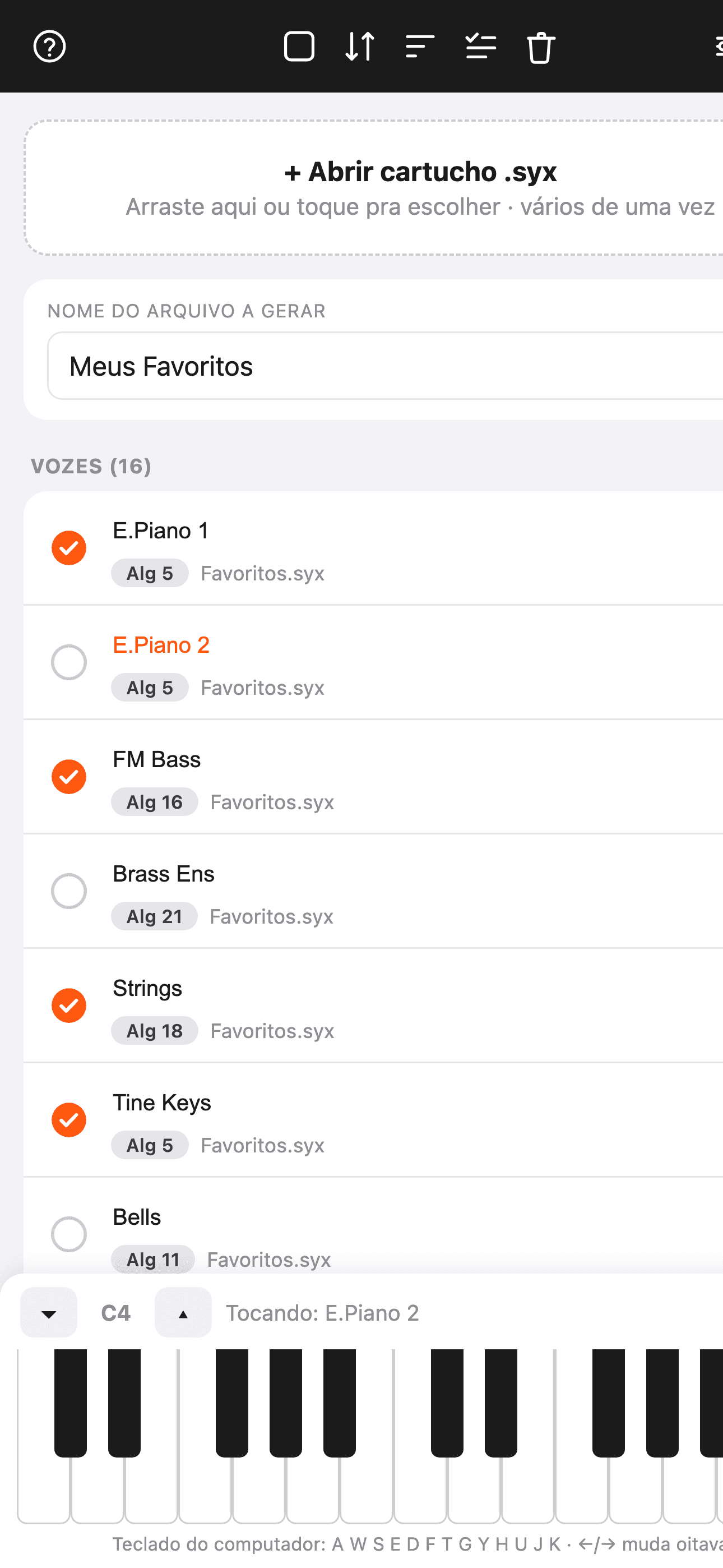
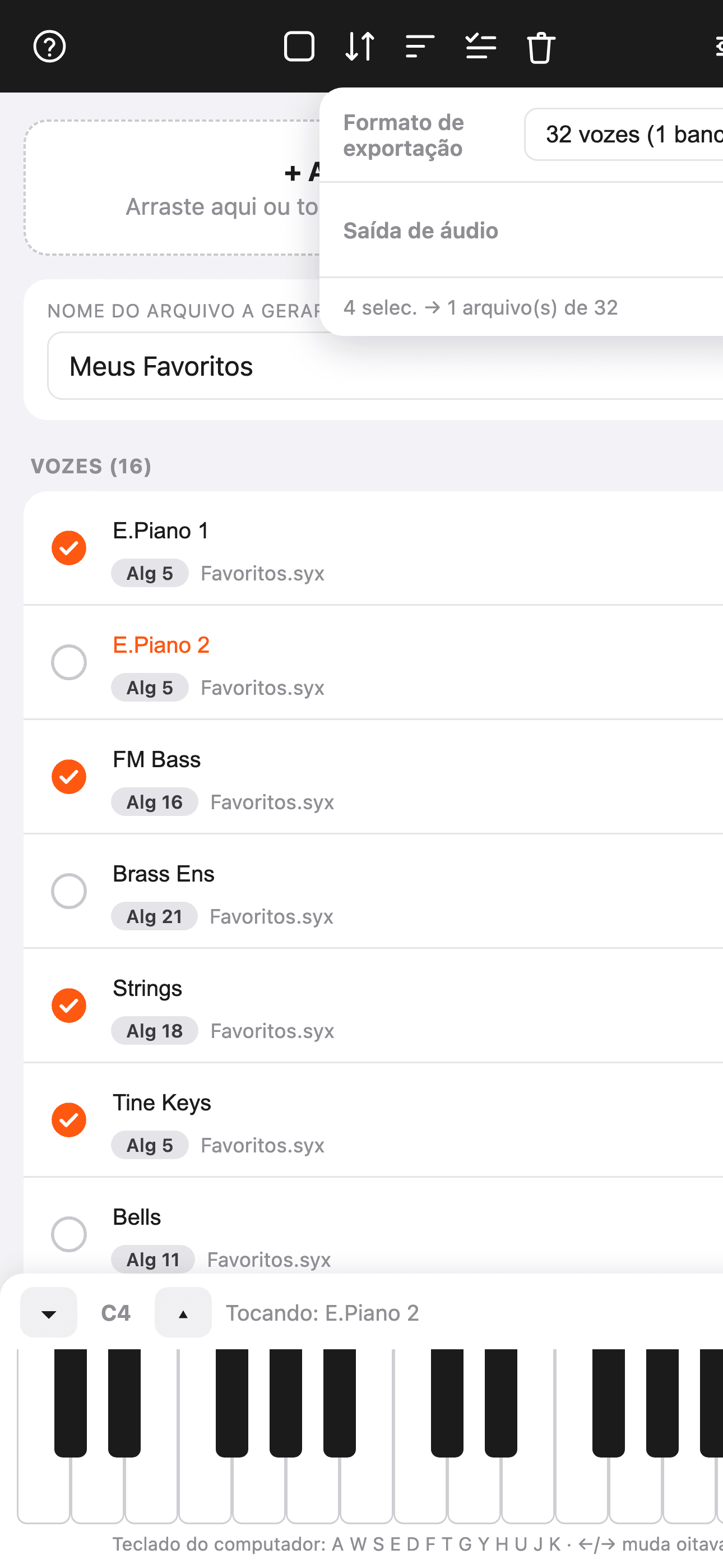
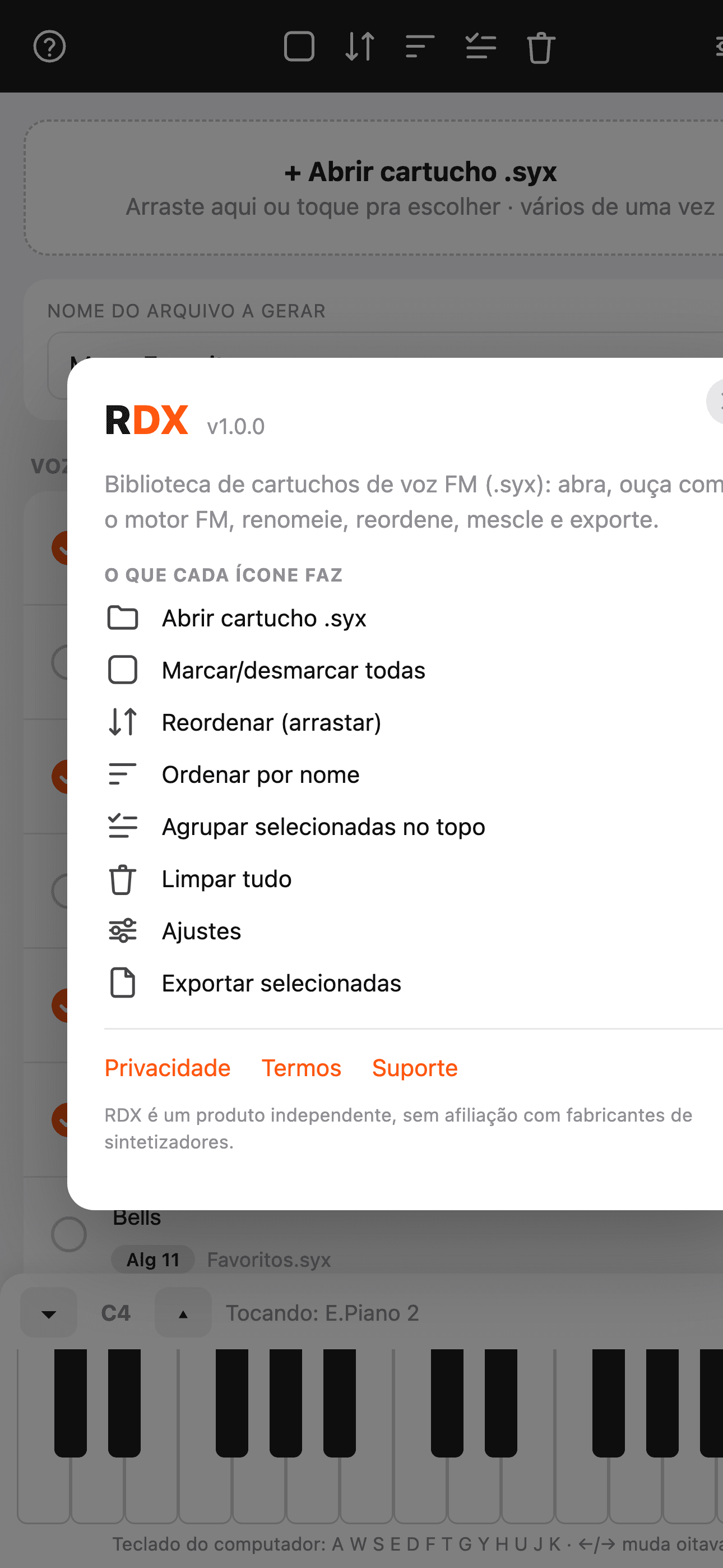
See it in action
Features
Preview, instantly
Play any voice through a faithful 6-operator FM engine — on-screen keys, computer keys or MIDI in.
An FM engine closer to the cartridgeNew
The pitch envelope (Pitch EG) now plays — the clang on a bell's attack, the rasp of brass, the "bloop" of a bass; nearly a third of the voices in a typical library ask for it. Feedback follows the voice on every algorithm, fixed-frequency operators sound in tune, and a voice with an out-of-range transpose is clamped to the format. Same in the app and the AUv3 plug-in.Read moreShow less
Rename & reorder
Edit voice names inline and drag to organize your bank exactly how you want it.
Merge & build
Cherry-pick voices across many cartridges and export a fresh bank.
AUv3 plug-in
Play RDX as an AUv3 instrument inside AUM, GarageBand, Logic and other hosts.
Per-voice volume & pan
In the Play tab, set each voice's volume (in dB) and balance.
Layer — stack voices
Check more than one voice in the Play tab and turn Layer on: they sound together, stacked — a quick way to audition combinations before exporting the bank.
Every voice tracks the register
Level and envelope speed now shift from low to high notes, per voice — the tone opens up and notes snap tighter in the upper keys, faithful to the original cartridge.
32 or 64 voices
Export single 32-voice cartridges or 64-voice (two-bank) files — split with no loss.
Pitch & mod wheels
Expressive preview with bend and modulation wheels, plus full MIDI device selection.
No accounts, no cloud
Your files never leave the device. Nothing is uploaded, ever.
Guides
FAQ
What is a .syx (sysex) file?
It is a MIDI SysEx (System Exclusive) dump that stores a synth's voices/patches. RDX reads these .syx cartridges from 6-operator FM synthesizers.
Does RDX play the voices or just list them?
It plays them. There is a built-in 6-operator FM engine — play any voice with the on-screen keyboard, your computer keyboard or a MIDI controller.
Can I merge voices from several cartridges?
Yes. Pick voices from as many cartridges as you want and export a new 32- or 64-voice bank.
Can I rename and reorder voices?
Yes — edit each voice name and drag to organize the bank before exporting.
Which devices does RDX run on?
iPhone, iPad and Mac — now on the App Store.
Does RDX work as an AUv3 plug-in?
Yes. Besides standalone, it runs as an AUv3 instrument inside hosts like AUM, GarageBand and Logic. One Mac detail that confuses people: in the AUv3 format the plug-in lives INSIDE the app, so there is no file to copy into Components or VST — just open RDX once and it shows up in your software's list as "RSJB: RDX FM".
Which synths is it compatible with?
Classic 6-operator FM synthesizers that use .syx voice cartridges. RDX is an independent product, not affiliated with any manufacturer.
A cartridge is in iCloud and won't open. What do I do?
Nothing — RDX handles it on its own. When you pick a .syx that lives only in the cloud, it asks for the download, shows you the wait and loads the cartridge as soon as the file lands. Before, choosing it just failed silently.
Where to get it
Controls
Show the full reference3 groups · 22 controls — every knob, button and value range
Toolbar
7
| Control | What it does | Range / options |
|---|---|---|
| Open .syx | Load voice cartridges (32 or 64 voices) | multiple files |
| Drag and drop | On Mac and iPad, drag .syx files straight into the window | — |
| Export | Save the selected voices as a new .syx cartridge | — |
| Select all | Toggle every voice on/off | on/off |
| Group selected | Move the checked voices to the top of the list | — |
| Clear | Empty the library | — |
| Settings | Export format, audio and MIDI | — |
Voice list
5
| Control | What it does | Range / options |
|---|---|---|
| Select voice | Mark the voice for export | on/off |
| Play / preview | Tap a voice to hear it through the 6-operator FM engine | — |
| Rename | Tap the name and edit it (written into the exported cartridge) | up to 10 chars |
| Algorithm | The voice's FM algorithm number (read-only) | 1 … 32 |
| Reorder (drag) | Hold and drag to reorder | — |
Player & MIDI
10
| Control | What it does | Range / options |
|---|---|---|
| On-screen keyboard | Play the voices; the vertical touch position sets the intensity (velocity) | 2 octaves |
| Octave (▲ ▼) | Shift the keyboard by an octave | C0 … C8 |
| Per-voice volume | Each voice's volume in the Play tab (double-tap to reset) | −60 … +6 dB |
| Per-voice pan | Each voice's stereo balance | L … C … R |
| Layer | Turns on playing the checked (☑) voices together, stacked, in the Play tab — the same checkmark used for export | on/off |
| Pitch bend | Wheel that springs back to center on release | ±2 semitones |
| Modulation | Wheel that stays where you leave it | 0 … 127 |
| Sustain pedal | Holds the note ringing even after you release the key, via CC64 from your MIDI controller | CC64 |
| Format (in Settings) | Cartridge size on export | 32 (1 bank) · 64 (2 banks) |
| Velocity sensitivity (in Settings) | How much touch force shapes the tone — 0% ignores velocity, 100% is the FM engine's full response | 0 … 100% |
What it's for
RDX is a voice-bank librarian for 6-operator FM synthesizers. It opens .syx cartridges (sysex messages) of 32 and 64 voices, plays each patch through a faithful FM engine — with an on-screen keyboard, computer keyboard or MIDI — and lets you rename, reorder, merge voices from many cartridges and export new banks (32 or 64 voices, split with no loss). Perfect for collecting and organizing classic FM patches on iPhone, iPad and Mac. Beyond standalone, RDX runs as an AUv3 plug-in (instrument) in your DAW and splits organizing (Library tab) from playing (Play tab, with per-voice volume and pan).